Extract tables from PDF to Excel or CSV.
Drop a bank statement, invoice, or financial report in PDF. Tables are detected and structured automatically, ready to export. Everything happens in your browser, no file is ever uploaded.
Last updated: March 5, 2026
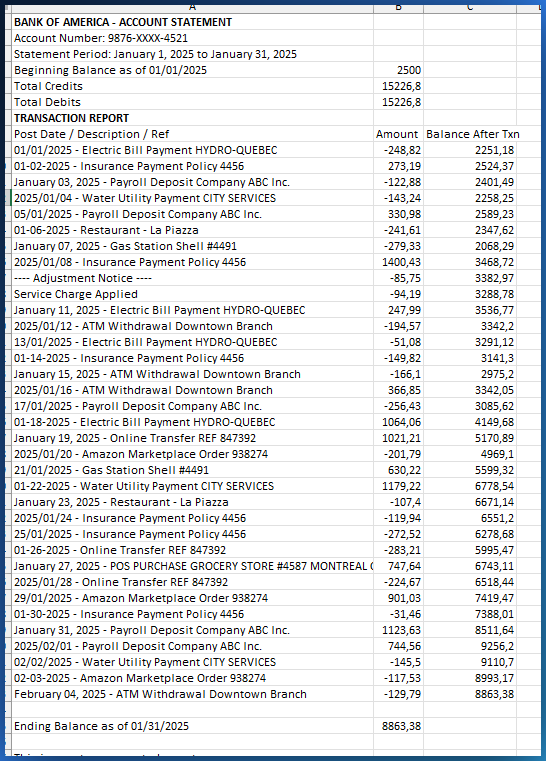
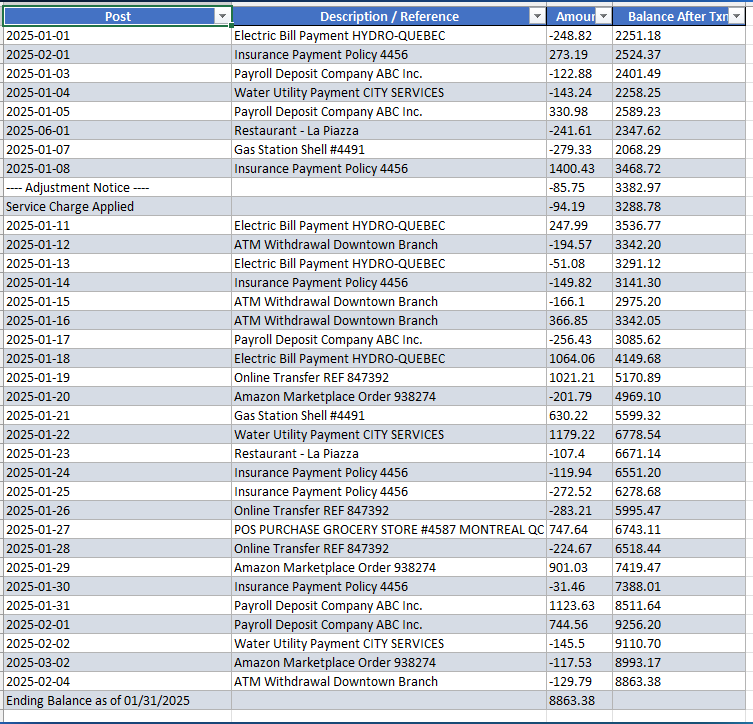
Why extracting tables from PDF is difficult
PDFs have no real tables
A PDF is a display format, not a data format. The cells, rows, and columns you see do not exist in the file structure.
Copy and paste does not work
Paste a PDF table into Excel and columns merge, rows jump, and numbers mix with text. You spend more time fixing than copying.
Online tools want your files
Most converters require sending your file to a server. For bank statements, that is an unacceptable privacy risk.
Automatic table detection, no OCR
PDFTable analyzes the position of every text element to rebuild the table structure. No OCR, no manual rules, no configuration.
- Every table on every page, detected automatically
- Multi-page tables merged into one
- Confidence scoring, uncertain cells highlighted
- Total rows separated from transactions
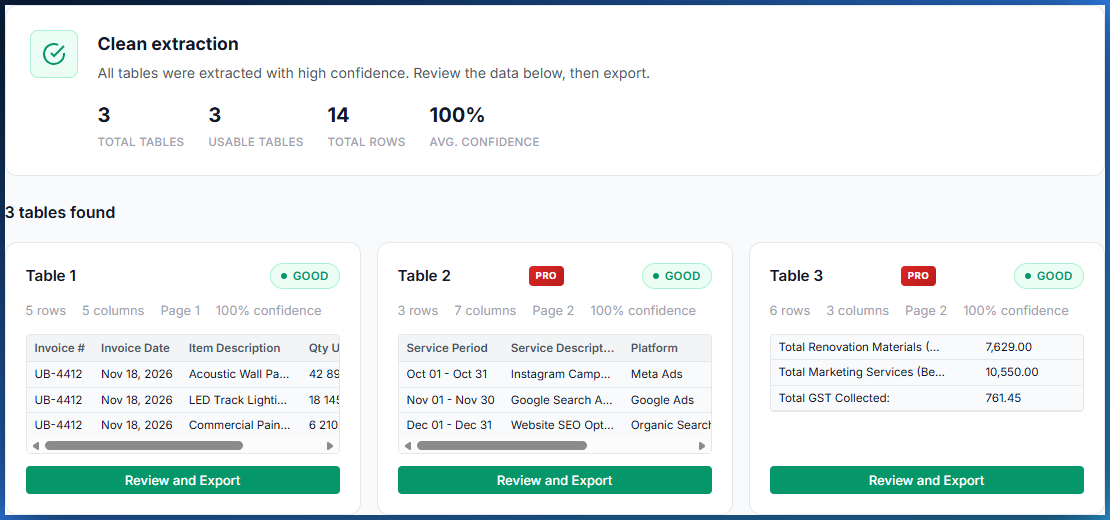
Convert PDF tables to Excel or CSV
Once tables are extracted, export in one click. Headers detected, columns aligned, data ready for Excel, Google Sheets, or your accounting software.
Excel export (.xlsx)
Formatted Excel file: bold headers, adjusted columns, ready to use immediately.
ProCSV export
Standard CSV file, compatible with every tool. Perfect for importing into QuickBooks, Sage, or any other system.
Free (1st table)Bank statements, invoices, and reports
Bank statements
Extract transactions from your PDF statements. Balances and totals are automatically separated from transactions.
Multi-page invoices
Long invoices whose rows span several pages are handled and merged into one clean file.
Financial reports
Extract data from annual reports, balance sheets, and financial statements. Each table is detected separately with its own score.
Why local processing protects your data
No files uploaded
Your PDF never leaves your computer. All processing happens in your browser. No server ever sees your data.
Works offline
After the page loads, disconnect from the Internet and keep extracting tables. No network dependency.
No account required
No sign-up, no password, no tracking. You open the page and start. Your data stays yours.
Ready to extract tables from your PDF?
Drop your file and get structured tables in seconds. No file is ever uploaded.
Try PDFTable for freeOther solutions for your data
Bank statement PDF to Excel
Extract transactions from bank statement PDFs, credit card statements, and PayPal reports.
Open →Clean Excel data
Fix accents, remove duplicates, standardize dates in your Excel and CSV files.
Open →Compare Excel files
Compare two files after extraction to spot every difference.
Open →