Free invoice and expense tracker, no sign-up.
Create invoices, log expenses, snap photos of your receipts, then export one clean file for your accountant. It all runs in your browser, with no sign-up, and works offline.
100% free to start. No credit card.
Invoicing and tracking expenses should not cost a subscription
Most tools charge a monthly subscription
For a freelancer who sends a few invoices a month, paying $20 or $40 every month just to invoice makes no sense. You mostly pay for features you never touch.
Receipts pile up until tax season
Receipt photos in your camera roll, bills in a drawer, amounts scribbled on paper. Come tax time, you reassemble it all from memory.
Your accountant gets a messy pile
Screenshots, separate PDFs, numbers that do not add up. Your accountant spends hours putting it in order, and you pay for those hours.
One free app for invoicing and expense tracking
Mubsira Business puts the invoice generator, expense tracker, receipt capture, and accountant export in one place. Free, offline, no sign-up.
Invoice generator
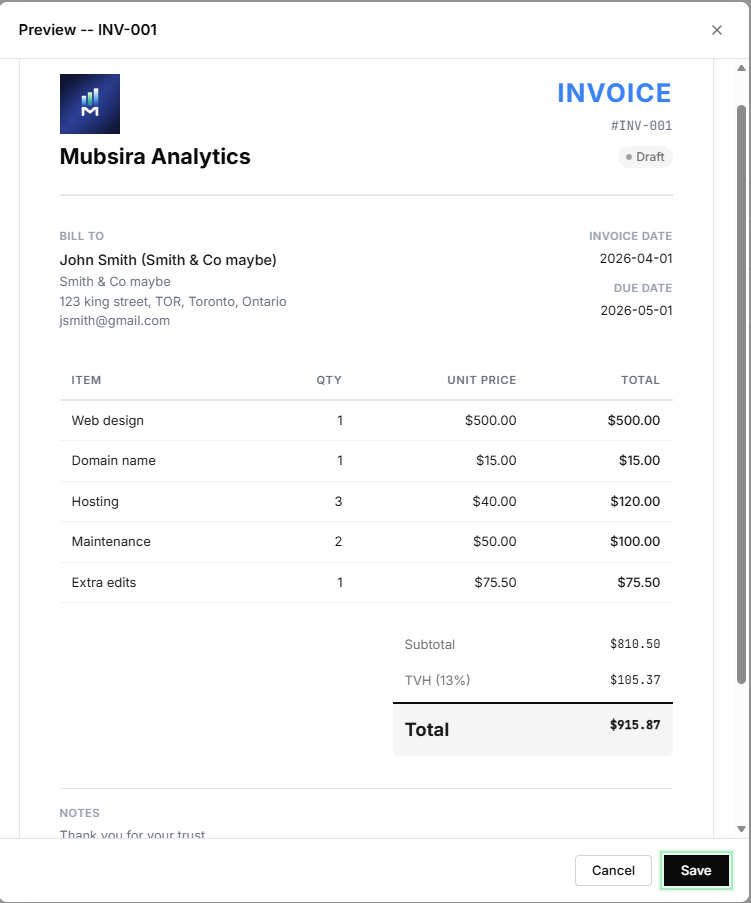
Build a professional invoice in seconds. Pick the client, add your line items, and GST and QST are calculated automatically.
Expense tracker
Log every expense with its category, date, and amount. Your totals by category stay up to date all year.
Receipt capture
Snap a photo of a receipt and attach it to the expense. No more camera roll full of screenshots you can never find again.
Send-to-accountant export
At year end, export a single Excel workbook with one sheet for invoices and one for expenses. Clean, organized, ready to send.
Your data stays on your device
Nothing is uploaded
Your invoices, expenses, and receipts are stored locally. No file is sent to a server.
Works offline
After the first load, the app works with no connection. You can invoice from a basement or a job site.
No account required
No sign-up, no password, no email. You open the page and start invoicing.
Quick answers
Is it really free?
Yes. Create invoices, track expenses, capture receipts, and export to Excel for free, with no account and no credit card. An optional Pro upgrade removes the record-count limit.
Do I need to create an account?
No. Mubsira Business opens straight in your browser. No sign-up, no password, no email. Your data stays on your device.
Can I send everything to my accountant?
Yes. At year end, export a single Excel workbook with one sheet for invoices and one for expenses, so your accountant receives clean data instead of a pile of screenshots.
Does it handle Quebec taxes?
Yes. Built in Quebec, Mubsira Business supports GST and QST, so your totals are correct on Quebec invoices.
Ready to send your first invoice?
Open Mubsira Business and create a free invoice in seconds. No sign-up.
Open Mubsira BusinessOther resources
Mubsira Business
The full app: invoices, expenses, documents, and accountant export, right in your browser.
Open →Create an invoice without signing up
The step-by-step way to produce a professional invoice without creating an account.
Read →Organize receipts for your accountant
How to group your receipts and expenses so year end is painless.
Read →